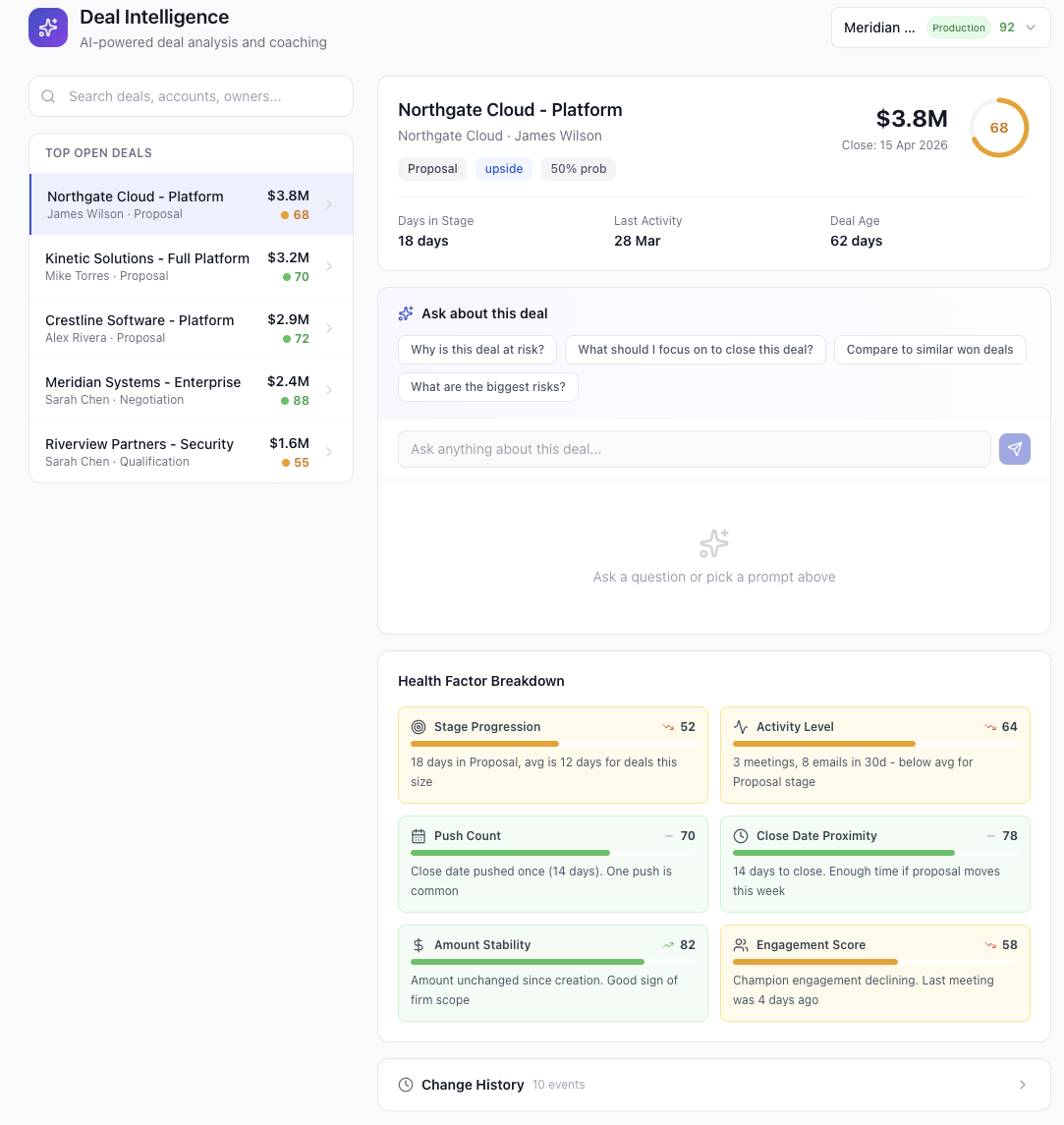
The problem with managing strategic deals in Salesforce
Your biggest deals have the most context. And the most scattered context. The champion's concerns are in an email thread. The stakeholder map is on a whiteboard someone photographed. Risk factors were discussed in a call nobody took notes on. The competitive intel is in a Slack message from three weeks ago.
Salesforce gives you fields and stages. It doesn't give you a workspace. So teams improvise. Shared Google Docs. Slack channels per deal. Internal wikis. Spreadsheets. None of it connects to the actual opportunity record. None of it updates when the deal moves.
The result: your most important deals have the worst operational hygiene. Managers walk into forecast calls with incomplete context. New team members joining mid-cycle have no way to ramp. And when the champion goes quiet, nobody notices for two weeks because the signal was buried in someone's inbox.
What a deal room actually looks like
A deal room is a shared workspace for one deal. Everyone involved in that opportunity, from the AE to the executive sponsor, works from the same page. Every activity, risk, document, and action item lives in one place.
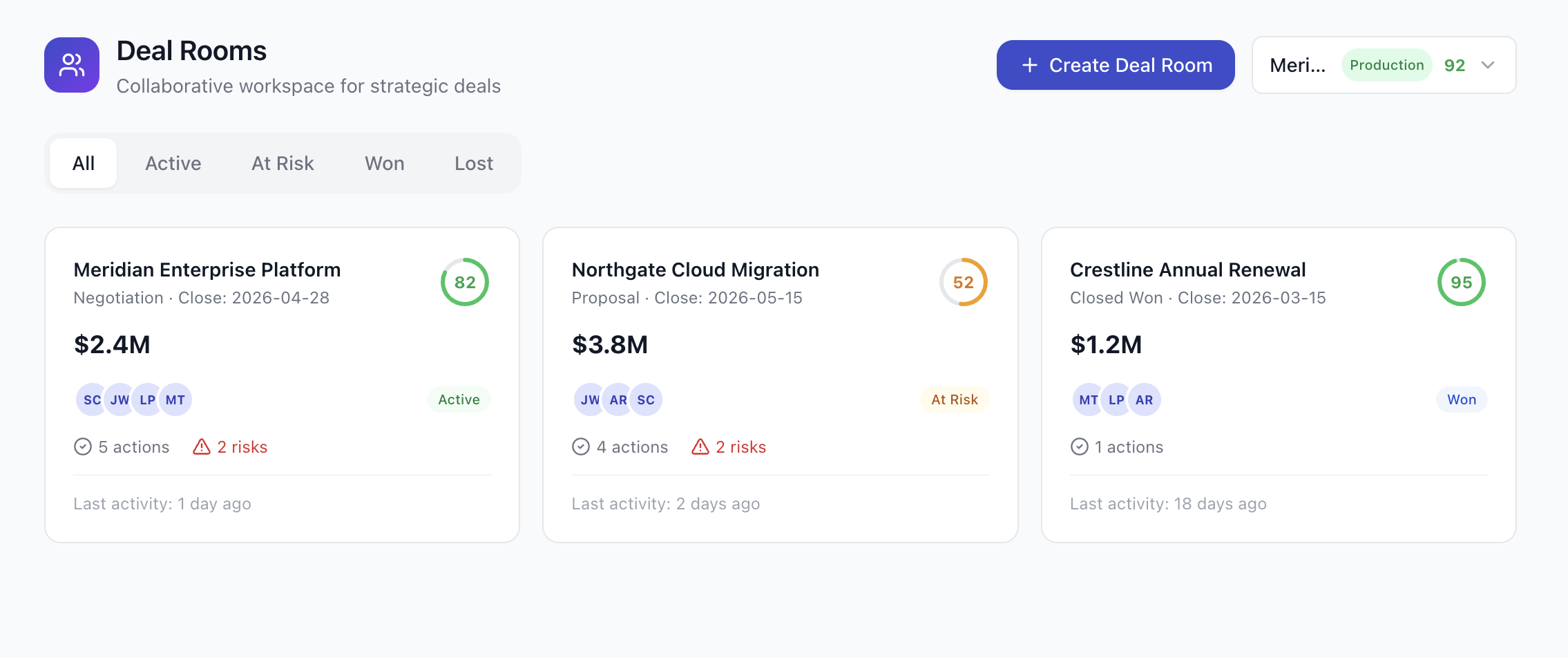
In Pocavi, a deal room includes:
- Activity feed: a timeline of every action on the deal (calls, emails, stage changes, notes, documents) in chronological order
- Stakeholder map: the buyer's org chart with roles (Champion, Economic Buyer, Technical Evaluator) and engagement status
- Risk tracker: specific risks with severity, mitigation plans, and assigned owners
- Action items: per-person checklists with due dates, so nothing falls through the cracks
- Documents: proposals, NDAs, security questionnaires, competitive analysis, all linked in one place
- Notes: rich text notes with team context, not buried in Salesforce's tiny description field
- Health score timeline: a visual chart showing how the deal's health has changed over time
The activity feed: one timeline, every signal
The activity feed is the heartbeat of the deal room. Every interaction with the prospect, every internal action, every stage change appears in chronological order. No more piecing together what happened from five different tools.
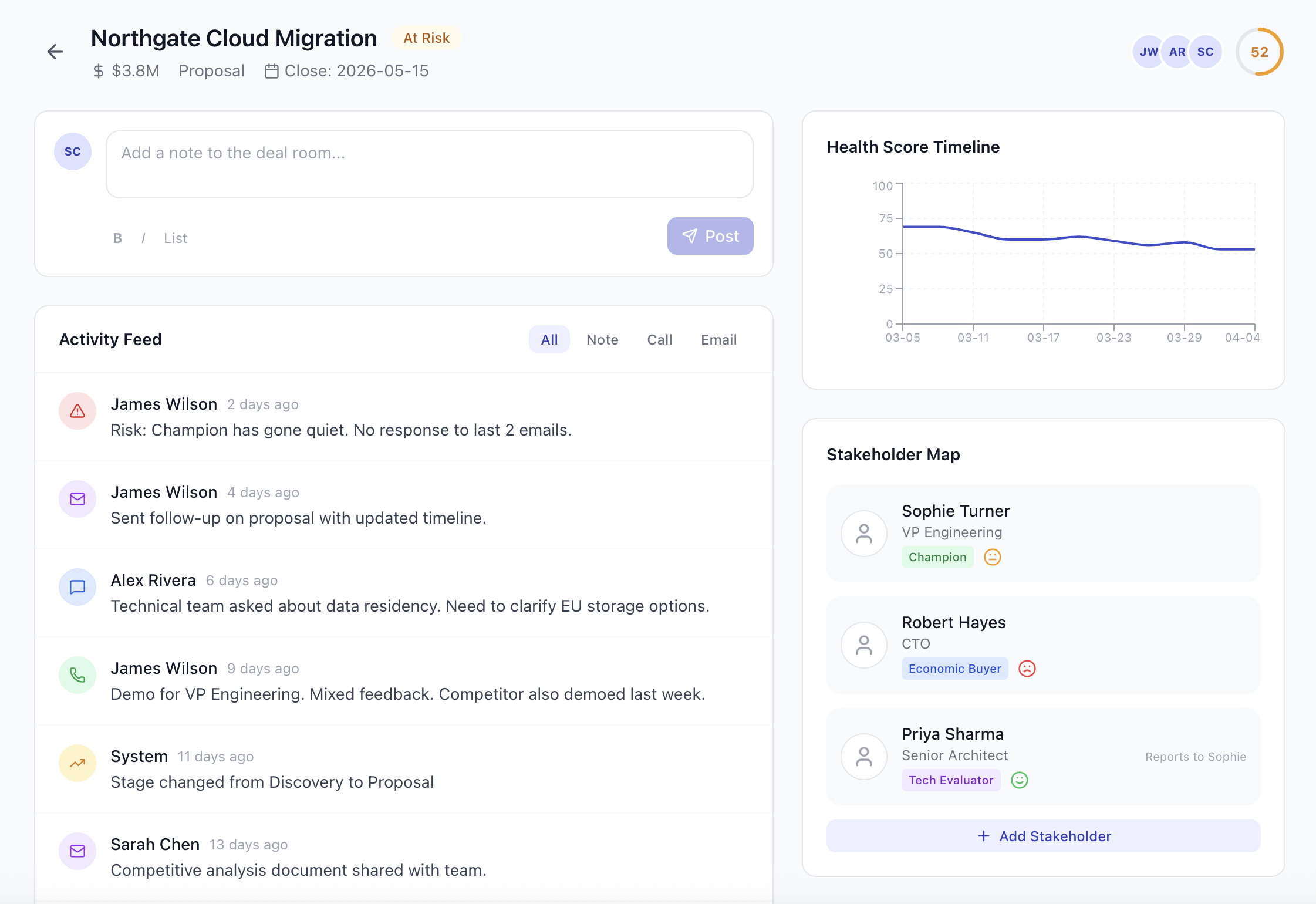
When the system logs "Risk: Champion has gone quiet. No response to last 2 emails," that's visible to everyone on the deal. Not just the AE who sent the emails. The manager sees it. The executive sponsor sees it. The SE sees it. Context travels with the deal, not with individuals.
Stakeholder mapping: know who matters
Most deals over $500K involve 4-8 stakeholders on the buyer side. The Champion who loves your product. The Economic Buyer who controls the budget. The Technical Evaluator who needs to approve the architecture. The Legal contact who will slow everything down.
Pocavi's stakeholder map lets you track each person's role, engagement level, and relationship to other stakeholders. When the Champion reports to the VP of Engineering who reports to the CTO, you can see the decision chain and plan your multi-threading strategy accordingly.
Risk tracking: problems you can see coming
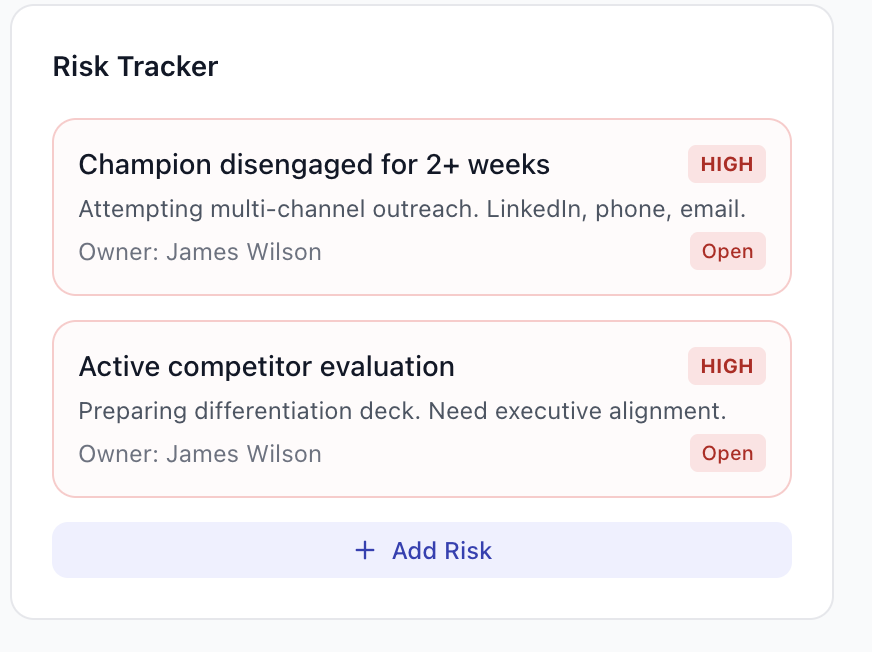
Every strategic deal has risks. The question is whether you track them or just worry about them. Pocavi's risk tracker lets you log specific risks with severity (High/Medium/Low), assign an owner, and document the mitigation plan.
When your forecast call comes around, you don't have to remember what the risks are. They're listed, owned, and either open or resolved. That's the difference between a forecast call where you review data and one where you share opinions.
Action items: nothing falls through the cracks
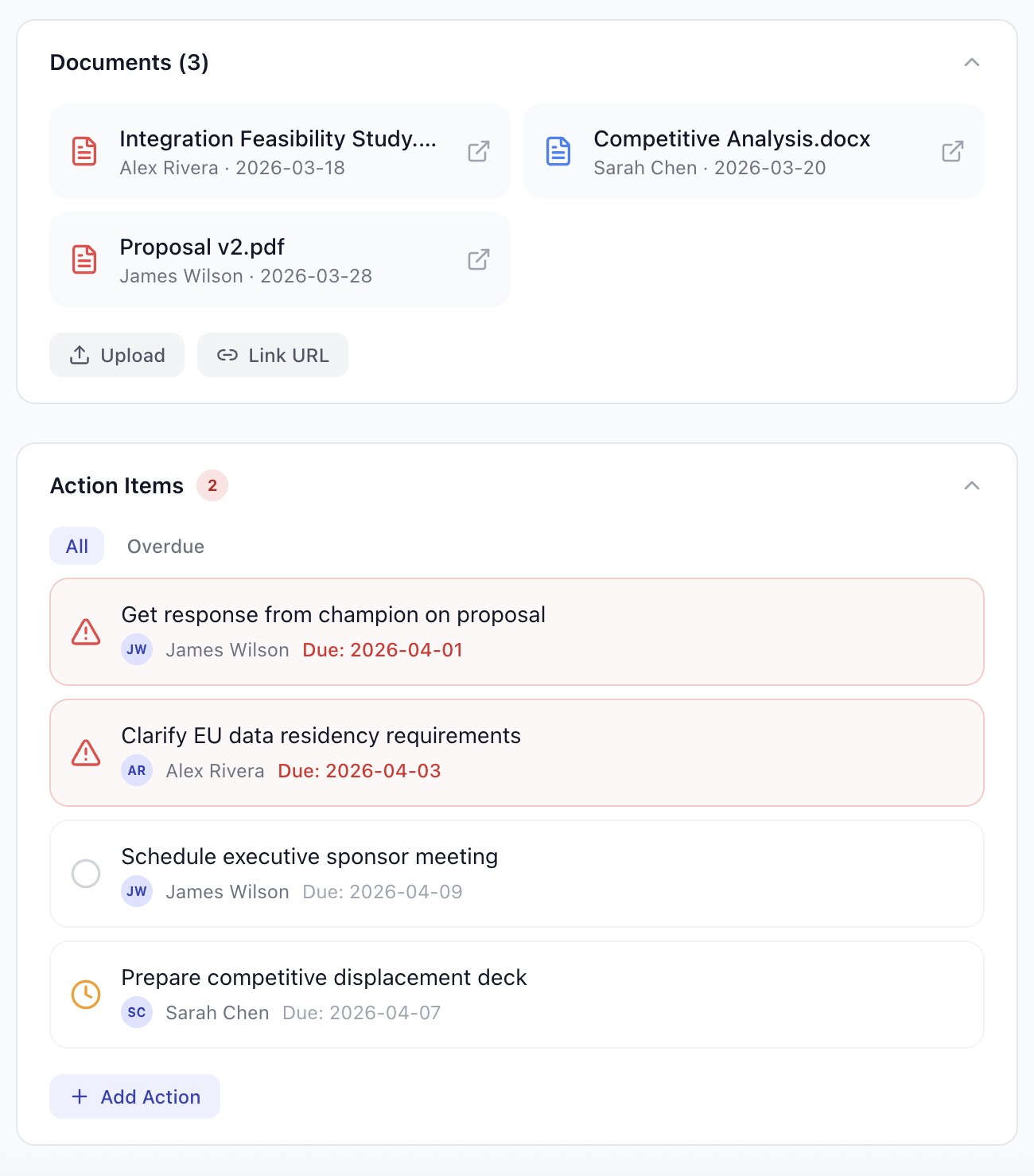
Action items are per-person checklists with due dates. "Get response from champion on proposal" is assigned to James, due April 1st. "Clarify EU data residency requirements" is assigned to Alex, due April 3rd. Overdue items show in red. Everyone can see what's outstanding.
This isn't a project management tool bolted onto Salesforce. It's deal-specific accountability that lives where the deal lives.
AI meeting prep: walk into every call prepared
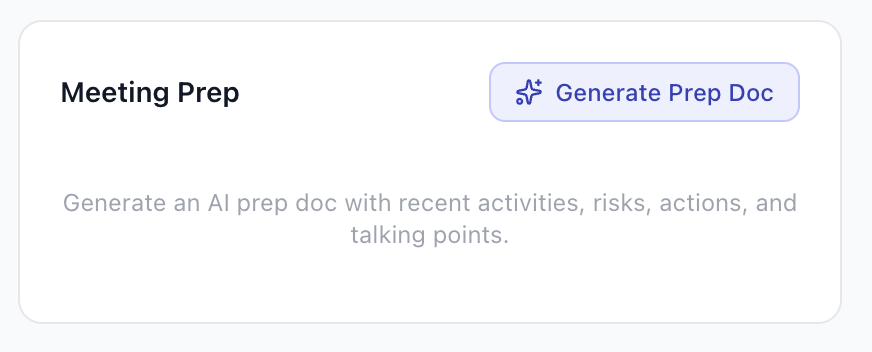
Before a call, click "Generate Prep Doc" and Pocavi compiles everything you need: recent activity summary, open risks, outstanding action items, stakeholder context, and suggested talking points. All generated from the deal room data, not from memory.
That's what meeting prep should be. Not 15 minutes scrolling through emails and Salesforce activity history trying to remember what happened last week.
Who this is for
Deal rooms are for teams working complex, high-value deals where context matters. If your average deal cycle is 30+ days and involves multiple stakeholders, you need a workspace, not just a CRM record.
- Enterprise AEs managing 5-15 strategic opportunities
- Sales managers who need visibility into their team's biggest deals without asking for updates
- SEs and technical resources who join deals mid-cycle and need to ramp fast
- Revenue leaders who want forecast accuracy based on evidence, not feelings
Try it yourself
Deal rooms are part of Pocavi's Forecasting module. You can explore the full demo, including three pre-built deal rooms (one active, one at risk, one won), without connecting a Salesforce org.
Try the interactive demo at pocavi.ai. Switch to the Forecasting module and open Deal Rooms from the sidebar. No signup needed for the demo.