Create the release, connect it to work in Jira, Linear, Trello, or source control, and define the route through environments.
Pocavi DevOps
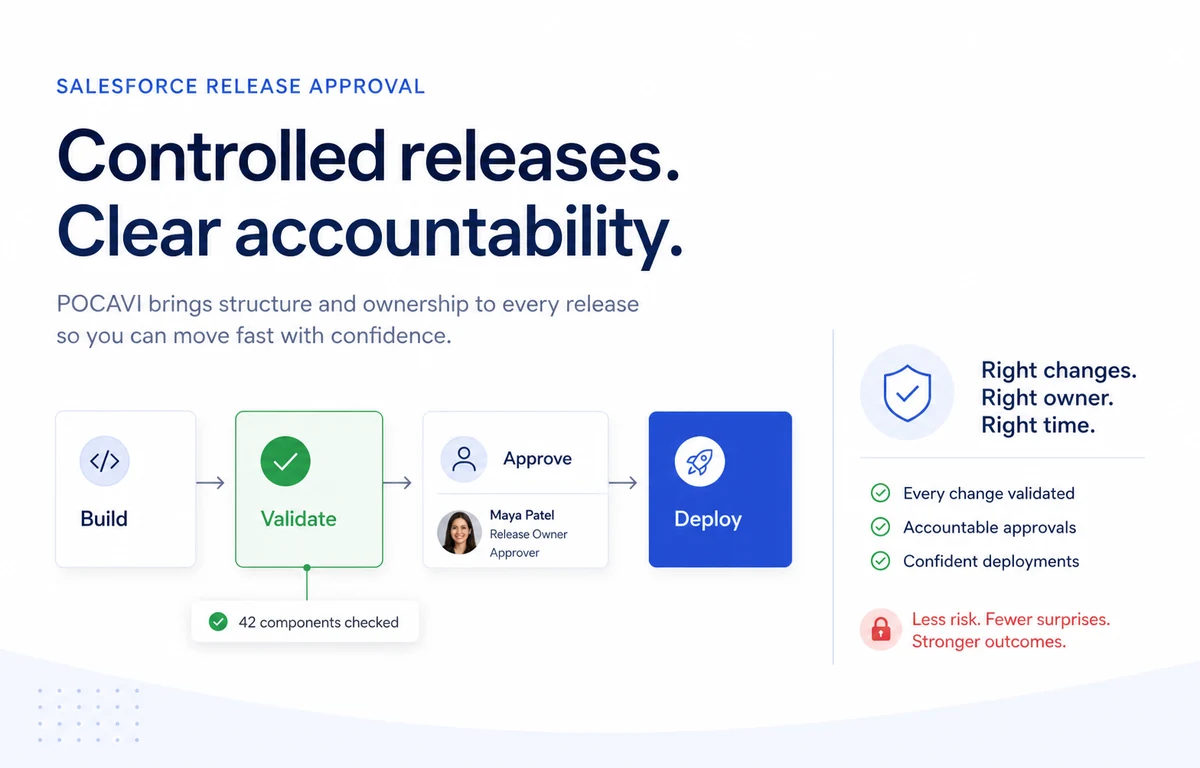
Plan, validate, deploy, and prove what happened.
A release-management layer for Salesforce teams that need deployments to be repeatable, reviewable, and connected to the work that led to them.
20DevOps capabilities
EveryRelease has a record
Pre-flightValidation before deploy
RollbackAvailable at every stage
Capabilities
Give every release a controlled route to production.
DevOps is about making safer delivery the quickest path, not another process around Salesforce.
- Smart DeployDetects differences between orgs, reviews the metadata change, validates with a dry run, then deploys with an audit trail.
- Multi-org PipelinesBuilds visual routes through Salesforce environments with configurable approval gates and quality checks.
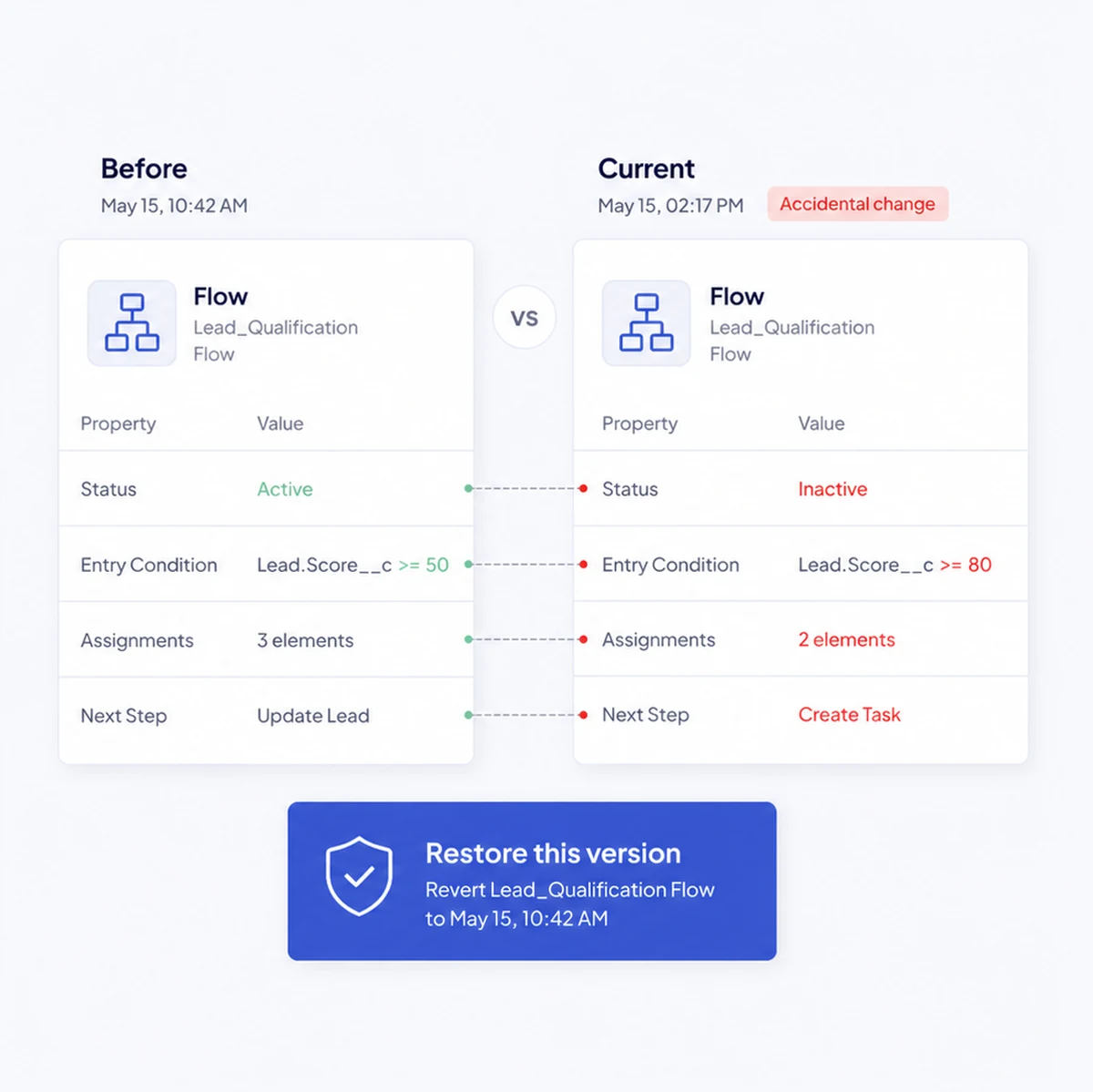
- RollbackRestores selected components from pre-deployment backup context with a preview before reversal.
- Deployment Bundles and PackagesCreates reusable component sets and manages package versions for consistent Salesforce delivery.
- Git Sync and Pull RequestsConnects GitHub, GitLab, or Bitbucket to sync metadata, branches, commits, and pull requests.
- CI/CD Run MonitoringDefines stages, monitors pipeline runs, and accepts verified GitHub webhooks.
- Data DeployMoves related records between orgs with ID mapping, traversal, and dry-run support.
- Scheduled and Recurring PipelinesRuns pipeline workflows on a schedule with stage order, approvals, and coverage thresholds.
Release Manager Plans releases, assigns work, manages approvals, deploys, rolls back, and keeps the release history together.
Release Scheduling and Conflicts Plans release scope, milestones, linked tickets, approvers, conflicts, hotfix frequency, and release health.
User Stories and Delivery Governance Links work to releases and manages deployment windows, freeze periods, approval rules, and release permission.
Delivery Integrations Connects Jira, Linear, Trello, Confluence, Google Docs, and source control into the release workflow.
Change Analyser Maps dependencies, runs Apex tests, checks coverage, and surfaces risk before a deployment reaches production.
Test Centre Supports AI-assisted test scenario creation, visual test building, execution in sandboxes, and pipeline quality gates.
Diff Viewer and Org Comparison Compares metadata and visual Flow structure between orgs, surfacing differences and drift score.
Code Analysis Checks metadata and code against security, best-practice, Flow, performance, and custom rules.
Test Centre and Quality Gates Authors AI-assisted test scripts, groups them into suites, runs them in sandboxes, and enforces release gates.
DORA Metrics and Drift Monitoring Tracks delivery performance and detects meaningful drift between Salesforce environments.
Environment Topology and Refresh Shows environment relationships and manages sandbox refresh validation, exclusions, and history.
Live Change Monitoring Surfaces Salesforce setup changes in a near-real-time operational feed.
DevOps
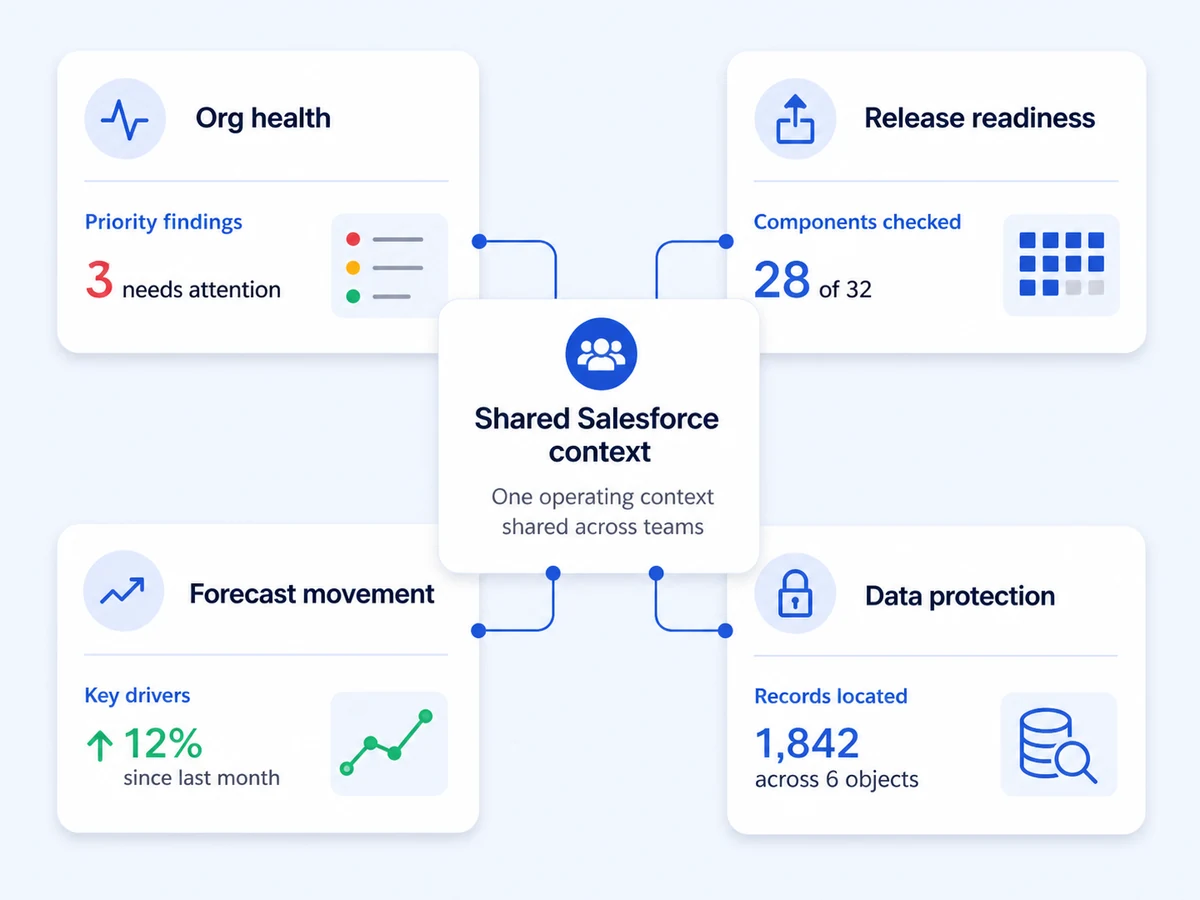
Releases that know what else is happening
A deployment is not an isolated event. Release readiness sits next to org health and the pipeline it will affect.
The workflow
How the work actually runs
Detect metadata change, run a dry run, analyse dependencies, and surface risk before production.
Use approval gates and quality checks, then deploy with a clear record of the change and its result.
Review delivery performance with deployment history, release notes, DORA metrics, and drift signals.
Integrations
Connected to where the work already happens
A release starts in a ticket and ends in an org. Pocavi links both ends.
All integrations- GitHub, GitLab, BitbucketTie a deployment to the commit that produced it.
- Jira, Linear, TrelloCarry the ticket through validation and approval.
- Confluence and Google DocsPublish release notes where people read them.
- Webhooks and APITrigger a pipeline from your own CI, or report back to it.
Security
Controls that make a release accountable
Every deployment answers who approved it, what it changed, and how to undo it.
Security overview- Validation runs before deployment, not after.
- Approval gates are configurable and attributable to a named person.
- Rollback is prepared at every stage, not assembled after a failure.
- The deployment record survives the release, for audit and for the next one.
Questions
Before you book a demo
Does this replace our change sets?
It replaces the manual assembly. Pocavi detects what changed, validates it against the target org, collects approval and deploys, keeping the record of all four.
What happens if a deployment fails halfway?
The rollback target is prepared before the deployment starts, so recovery is a decision rather than a reconstruction.
Can we deploy from our own CI?
Yes. Pipelines can be triggered through the API or a webhook, and results reported back to your own system.
Does it work with source control we already have?
Yes, with GitHub, GitLab and Bitbucket. Pocavi links a deployment to its commit rather than replacing the repository.
Read next
Go deeper on the job itself
Pricing
DevOps is $149/user/mo
per DevOps user / month, minimum 3 users. Bundle it with the products next to it and the price comes down.
The rest of the platform